
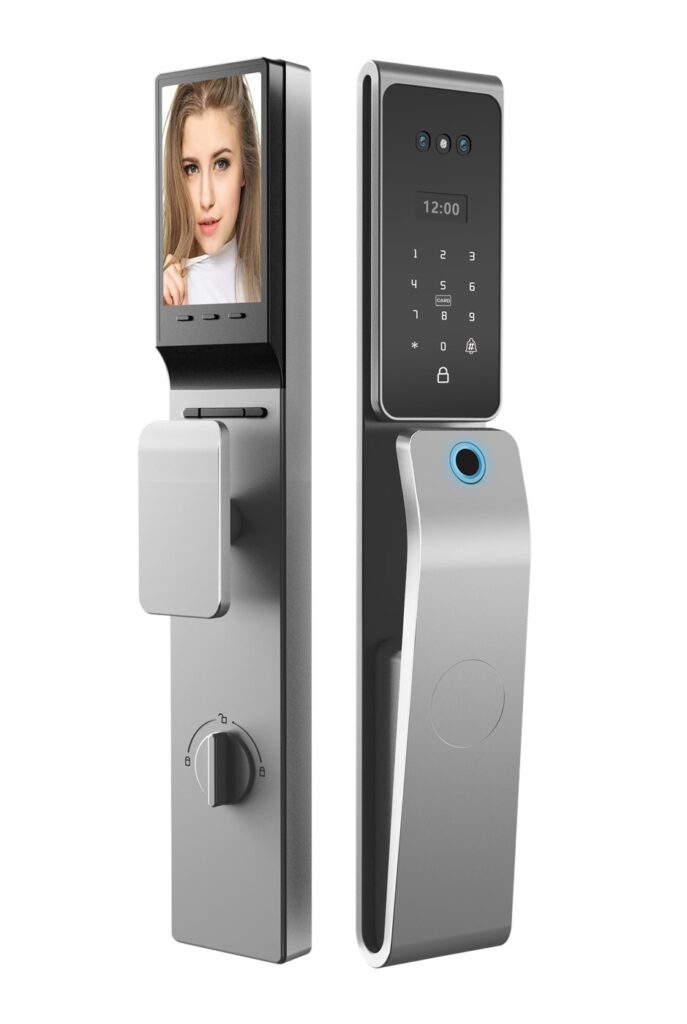
Good locks get better with age when the factory keeps caring for them. Firmware 2.4 for the DESF01 smart lever lock begins its staged rollout today, and it is one of the most substantial free updates we have ever shipped: faster unlocking, native Matter support, a quieter motor routine, and a set of refinements requested directly by owners and installers. No new hardware, no purchase, no trip to a service center — just an update from the DEC app.
What’s New in 2.4
- Faster fingerprint unlock. Recognition plus motor start now completes in about 0.28 seconds on average, down from roughly 0.4 seconds, with the biggest gains in cold weather.
- Native Matter support over Thread. The DESF01 can now join Matter ecosystems directly through any Thread border router, no proprietary gateway required.
- Quieter motor routine. A reworked acceleration curve trims audible noise by about 6 dB — a real difference on bedroom and nursery doors at night.
- Smarter auto-relock. Auto-relock can now be disabled per access method, and the timer range extends from 60 seconds to a full 10 minutes.
- Better battery reporting. Percentage estimates are recalibrated for lithium cells, and low-battery warnings arrive earlier, before cold nights do the damage.
- Stability fixes for rare app-pairing timeouts and a keypad ghost-input issue reported by a small number of humid-climate installations.
Matter Support: How It Works
The headline feature deserves a plain-language explanation. With firmware 2.4, the DESF01 speaks Matter, the cross-brand standard backed by the major platform vendors. In practice, you commission the lock into a Matter ecosystem using your phone and a Thread border router — many homes already own one inside a smart speaker or hub. From that moment, the lock can be controlled from that platform’s app, included in routines, and managed alongside devices from other brands.
Two things worth knowing. First, the DEC app keeps working exactly as before; Matter support adds options rather than replacing anything. Second, remote access through Matter relies on your platform’s hub rather than our cloud, which suits users who prefer fully local control. A support article in the app walks through commissioning step by step, including how to share access with household members on both apps.
How to Update
The update takes about five minutes and works from your phone, standing next to the lock:
- Open the DEC app and select your DESF01 from the device list.
- Tap the settings gear, then “Firmware update.”
- Stay within Bluetooth range until the lock confirms completion — the keypad backlight will blink twice.
- Re-lock manually once afterward; the first cycle after updating lets the motor recalibrate.
If a lock is shared with family members, only the owner account can trigger the update.
Rollout Plan
We are releasing 2.4 in waves to keep support attention focused: 25 percent of registered devices this week, 60 percent by the end of August, and everyone by mid-September. Owners will see a notification in the app when their lock is eligible. Enterprise and hotel deployments receive the update through their management dashboard on their own schedule, and nothing changes for properties that prefer to stay on 2.3 through a project phase.
Coming Next
Firmware 3.0 is already in internal testing, built around visitor codes: one-time codes generated per guest, expiry schedules, and a check-in style handover that does not require sharing your household. We will share the full feature list when the beta opens. Until then, enjoy the speed — and the quiet.
Why Motor Noise Deserved Its Own Workstream
It is tempting to treat decibels as a vanity metric, but our support logs say otherwise. Among DESF01 owners, the most common compliment and the most common complaint both concern the same moment: the sound of the lock throwing its bolt. In shared bedrooms, nurseries, and home offices that double as guest rooms, that half-second of noise happens at the exact moment someone is trying not to be noticed.
So we gave the motor routine its own engineering cycle. The new acceleration profile ramps torque gradually instead of punching it, which shaves roughly six decibels from the unlock sound without adding measurable delay. Firmware also learns the mechanical resistance of each individual installation over its first weeks, so a stiff door stops producing the strained whine that early firmware sometimes caused. The result is a lock that sounds like a quality product instead of a power tool.
Troubleshooting and Rollback
Updates at scale deserve a safety net. If anything goes wrong during the update, the DESF01 keeps its previous firmware on a fallback partition and reverts automatically; a failed update cannot brick the lock. And if you simply prefer the previous behavior, customer support can roll your unit back to 2.3 for sixty days after the rollout completes. A few known situations to plan around:
- Update with the door open and the battery above thirty percent; low-battery interruptions are the main cause of retries.
- If the app cannot find the lock, cycle the battery pack for ten seconds and reopen the app.
- Matter commissioning requires the newest app version; check your store updates first.
- Hospitality deployments should stage updates outside check-in windows via the management dashboard.
For Our Installer Partners
Installers asked for better tools, and 2.4 delivers them. A new diagnostics page reports motor cycle counts, battery health history, and signal quality at a glance — the three facts that answer ninety percent of support calls. Pairing is faster on refurbished phones, which matters for property teams rotating hardware. And installation certificates exported from the app now include the firmware version, so handover documents stay honest as devices evolve.
Back to all perspectives